

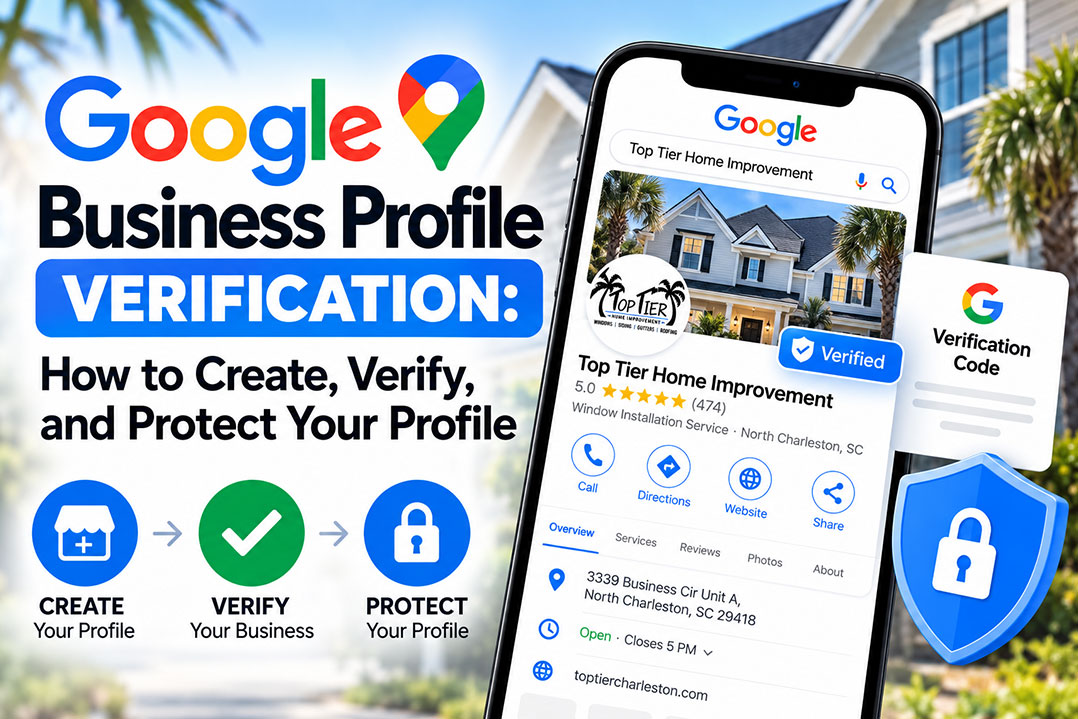
Want more local customers to find your business? Your Google Business Profile is a great place to start. It puts your business information in front of people searching Google Search and Maps, giving potential customers an easy way to find your services, check your hours, read reviews, and get in touch.
But first, you need to get through the Google Business verification process.
Google needs to confirm that your business is legitimate and that you’re authorized to manage its listing. Getting this step right helps you avoid unnecessary delays and keeps your local SEO efforts on track.
Here’s how to create your profile, complete verification, avoid common mistakes, and keep your business visible to the people looking for what you do.
What Is a Google Business Profile?
A Google Business Profile (formerly Google My Business) is a free listing that lets you manage how your business appears on Google Search and Maps.
Your profile can include:
- Business name, address, and phone number
- Website and business hours
- Services and products
- Photos and business updates
- Customer reviews and responses
When someone searches for a service near them, Google considers relevance, distance, and prominence when deciding which businesses to show. A complete, accurate profile gives Google useful information about your business and helps customers decide whether to contact you.
Why Google Business Profile Verification Matters
Think of verification as the first step toward taking control of your business’s presence on Google.
Once your profile is verified, you can manage your business information, respond to customer reviews, and access available performance data. You can also keep your listing current as your business grows and changes.
Verification matters for another reason: your local SEO strategy needs accurate business information to work effectively. Google uses information about your business to help determine when your listing is relevant to a search.
Verification alone won’t guarantee top rankings, but it establishes an important foundation for building local visibility and generating more opportunities to connect with customers.
How to Create a Google Business Profile
Getting started is straightforward. Have your business information ready, then follow these steps.
- Sign in to Google. Use an account your business can retain access to long-term.
- Check for an existing listing. Search for your business on Google Maps. If a profile already exists, request access rather than creating a duplicate.
- Enter your business name. Use the name customers recognize from your real-world branding.
- Choose your primary category. Select the category that best describes what your business does.
- Select your business type. Indicate whether customers visit your location, you travel to customers, or you do both.
- Add your business information. Enter your eligible address, phone number, business website, and other requested details.
- Complete verification. Follow the method and instructions Google provides.
You can manage your profile through Google Search or Google Business Profile Manager. Make sure the business retains control of its account, even if an employee or marketing agency helps manage the listing.
Before You Start Verification
A little preparation can save you time and frustration. Before starting, check that your business information is accurate and gather any evidence you may need.
Use this checklist to get ready:
- Business details: Confirm your name, address, phone number, and website.
- Supporting documents: Gather relevant business licenses, utility bills, or tax documents if needed.
- Proof of operations: Have your tools, equipment, products, branded materials, or other evidence of your work available.
- Account access: Make sure you can sign in to the correct Google account and access the business location or materials you’ll need to show.
- Mobile device: If video verification is required, check your camera, microphone, and location permissions.
Requirements vary by business type. For example, a storefront may need to demonstrate its physical location, while a service area business may need to show evidence of its operations without receiving customers at its address.
How Google Business Profile Verification Works
Google determines which verification methods are available for your business. You generally can’t choose any method you want, and the options may vary based on your business category, location, profile history, and other factors.
Which Verification Methods Are Available?
| Method | What to expect |
|---|---|
| Video recording | Submit a continuous video showing evidence of your business and its operations. |
| Live video call | Show your business to a Google representative in real time. |
| Phone | Receive a code by automated call or text, if available. |
| Receive a verification code at an eligible email address. | |
| Postcard | Receive a verification code by mail, if offered. |
| Instant verification | Google may verify your profile automatically if you meet the applicable requirements. |
| Bulk verification | Eligible businesses managing multiple locations can request verification for a group of locations. |
Video verification is common, but your available options may differ.
Stick with the method Google provides. Follow the instructions in your account, and avoid repeatedly requesting new codes or switching methods while verification is pending. Doing so can cause delays or invalidate an existing code.
Video Verification: What to Show Google
If Google asks for a verification video, don’t wait until you hit record to figure out what to show.
Your video needs to establish three things:
- Your business operates at the location you’ve listed.
- You’re authorized to represent or manage the business.
- Your business performs the activities or services described on its profile.
Google generally requires one continuous, unedited recording. Plan your route beforehand so you can capture the necessary evidence in one take.
What Should Your Verification Video Include?
Record the most relevant evidence in a logical order.
- Your location: Show the building exterior, street signs, or nearby landmarks that help establish where you are.
- Your business identity: Capture permanent signage, when applicable, and other branding that matches your profile.
- Your access to the business: Show yourself unlocking a door or accessing an employee-only area, when appropriate.
- Your business operations: Film relevant equipment, tools, products, branded vehicles, or other evidence of your work.
- Supporting documents: If needed, show relevant business documents. Cover sensitive information before recording.
Tips for a Better Verification Video
- Record during daylight so details are easy to see.
- Keep the camera steady and the footage clear.
- Plan your route before recording.
- Avoid including other people’s faces or exposing sensitive information.
- Follow Google’s current recording and upload instructions.
Don’t have a storefront? You can still verify an eligible service area business. If Google requests a video, focus on evidence of your actual operations, such as tools, equipment, branded vehicles, and relevant business documents.
Business Name Rules That Can Protect Your Profile
Your Google Business Profile name should match the name your business uses in the real world. Adding extra keywords or promotional phrases might seem like an easy way to attract attention, but it can put your listing at risk.
Keep these rules in mind:
- Use your actual business name. Match the name customers recognize from your branding and signage.
- Skip unnecessary city names. Don’t add a location such as “Acme Roofing Charleston” unless it’s part of your real-world business name.
- Avoid keyword stuffing. Phrases such as “Best Roof Repair” don’t belong in your business name unless they’re genuinely part of it.
- Leave promotions out. Don’t add phone numbers, taglines, discounts, or marketing claims.
- Keep documentation handy. If your registered business name differs from your public-facing brand, retain documentation establishing the relationship.
Your business name isn’t the place to squeeze in extra keywords. Keep it accurate, consistent, and aligned with Google’s guidelines.
Storefront vs. Service Area Businesses
Not every business operates the same way, and Google accounts for those differences.
Storefront Businesses
If customers visit your location during your stated business hours, you can display your eligible business address.
Service Area Businesses
If you travel to customers and don’t serve them at your business address, you should hide that address and define your service area instead.
This is common for plumbers, roofers, cleaners, and other home service businesses.
Hybrid Businesses
If you serve customers at your location and travel to them, you may be able to display your address and set a service area.
The goal is simple: represent how your business actually operates. Don’t display a residential address where customers aren’t served just because you think it will improve your rankings.
Adding Multiple Business Locations
Expanding into a new market? You may qualify for an additional Google Business Profile, provided the new location meets Google’s eligibility requirements.
Each profile should represent a legitimate business location, not a duplicate listing created to target another city.
Before adding a location, prepare:
- An accurate business name and address
- A local phone number, where available
- Permanent signage, when applicable
- Supporting documents, if requested
- A corresponding location page on your website, when appropriate
You can manage multiple eligible locations through one account. Businesses with at least 10 eligible locations may qualify for bulk verification.
Do’s and Don’ts for Keeping Your Profile in Good Standing
Getting verified is a big step, but maintaining your listing matters, too. A few good habits can help you avoid common problems.
Do
- Keep your business information accurate and consistent.
- Update your hours when they change.
- Respond to customer reviews.
- Limit account access to trusted employees and agencies.
- Make sure each profile represents an eligible business location.
- Keep relevant documentation available if Google requests additional evidence.
Don’t
- Use a virtual mailbox or an address where your business doesn’t operate.
- Create duplicate profiles for the same business and location.
- Add keywords or promotional language to your business name.
- Buy reviews or offer incentives in exchange for positive reviews.
- Make unnecessary changes to your name, address, or category while verification is pending.
- Give account access to people who don’t need it.
Major profile changes can trigger another verification request. If your business information needs to change, make sure the update is accurate and supported by your actual operations.
What to Do If Google Business Profile Verification Fails
Verification didn’t go through? Don’t panic, delete your listing, or immediately create another one. Start by checking your profile for the verification status and any instructions from Google.
Common Reasons Verification Fails
- Your video doesn’t clearly establish your location or business operations.
- Your recording doesn’t meet Google’s requirements.
- Your business name doesn’t match your real-world branding.
- Google can’t confirm the listed address or location.
- You haven’t provided enough evidence that you’re authorized to manage the business.
How to Fix Verification Problems
- Review Google’s feedback. Identify the issue flagged during verification.
- Address the problem. Gather clearer evidence, correct inaccurate information when appropriate, or prepare a new video.
- Try again if the option is available. Follow the instructions shown in your profile.
- Contact Google support if needed. Explain the issue and provide relevant documentation.
- Appeal a suspension when applicable. Follow Google’s appeal process and submit supporting evidence.
Repeated attempts won’t necessarily solve the problem. Identify what went wrong first, then address it before trying again.
After Verification: Put Your Profile to Work
A verified profile gives you control over your listing. Now it’s time to make the most of it.
Keep your profile working for your business with these steps:
- Add your services and products. Help customers understand what you offer.
- Upload genuine photos. Show your business, team, products, and completed work.
- Keep your information current. Update hours, contact details, and other important information.
- Respond to reviews. Show customers that you’re engaged and pay attention to feedback.
- Share relevant updates. Use available profile features to communicate useful business news.
- Monitor performance. Review available insights to understand how customers discover and interact with your listing.
Your Google Business Profile is one piece of your local SEO strategy. Pair accurate profile information with a strong website, relevant service pages, and a consistent online presence to give customers more ways to find and learn about your business.
Google Business Profile Verification Checklist
Ready to submit your verification? Run through this list first.
- I’m signed in to the correct Google account.
- I’ve checked for an existing business profile.
- My business name and details are accurate.
- My business type and address settings are correct.
- I’ve reviewed the verification method Google assigned.
- I’ve gathered the necessary evidence and documents.
- If video verification is required, I’ve planned a clear, continuous recording.
- I’ve submitted my verification and will monitor its status.
Taking a few minutes to check these details can help you avoid preventable errors and keep the process moving.
Frequently Asked Questions
Verification times vary by method and business. Video verification may take several days, and some cases take longer. Check your profile for status updates or requests for additional information.
An eligible service area business can verify its profile using the method Google provides. If video verification is required, show relevant evidence of your operations, such as tools, equipment, branded vehicles, and supporting documents. Hide your address if customers aren’t served there.
Not usually. Google determines which methods are available for your profile. Follow the instructions shown in your account.
Google may request verification after certain profile changes or when it needs to confirm your business information again. Review your profile details and follow any instructions Google provides.
Review the rejection message, address the underlying issue, and try again if Google provides that option. If you can’t resolve the problem, contact Google support. If your profile is suspended, follow the applicable appeal process.
Yes. You can grant an agency access to help manage your verified Google Business Profile. Keep ownership and account access under your business’s control, and give the agency only the permissions it needs.
Yes. Google My Business was renamed Google Business Profile. The platform still lets eligible businesses manage how they appear on Google Search and Maps.
Get Your Business Found on Google
Your Google Business Profile can help connect your business with people already searching for your services. Start with accurate information, complete verification, and keep your listing up to date as your business grows.
Need help with Google Business Profile verification or want to get more out of your local SEO strategy? Fu Dog Media can help you build a stronger online presence, improve your visibility, and turn more searches into opportunities for growth. Let’s talk about getting your business found.